 Vedran
Dental operations · B2B SaaS · 2023–present
DentaSync
Designing one shared case workflow across dental clinics, labs, patients, appointments, production, and payments.
- Role
- Solo product designer
- Team
- Product stakeholders and engineers
- Timeline
- 2023–present
- Outcome
- A live operations platform connecting work orders, patient records, scheduling, finance, and permissions.
At a glance
- Led the product design independently
- Made the work order the backbone of the platform
- Connected clinical operations, scheduling, finance, and access control
Prefer the short version?
Don’t want to read the whole case study? I got you.
The DentaSync application presentation is under construction. The viewer is ready and the deck will appear here as soon as it is added.
01 · The challenge
A dental case moved between clinics, labs, people, dates, and payments.
Dental work is coordinated across more than one organization. A clinic creates a case, a laboratory produces the work, appointments and delivery dates change, patient information travels with the order, and payments have to be reconciled alongside the operational status.
When those details live across calls, messages, spreadsheets, and paper, teams lose the shared picture of what is happening next. The design challenge was to centralize the workflow without making every user navigate the full complexity of the system.
The product needed one source of truth for the case—and focused views for every person responsible for moving it forward.
02 · Process and constraints
I mapped the case before designing the modules around it.
I worked with product stakeholders and engineers to translate the operating sequence into one connected model: configure an organization and its permissions, create a work order, link the patient and dental office, schedule production or delivery events, update the case, and reconcile the payment. That sequence exposed which information had to remain attached to the case and which views could stay role-specific.
I mapped the relationships between work orders, patients, dental offices, events, files, payment plans, and users, then designed the highest-frequency paths before expanding into dashboard, finance, notifications, and settings. The product also had to support granular permissions and an option for organizations to keep data locally, so access and privacy were system decisions rather than settings added at the end.
The current product documentation validates this workflow and module set. It does not provide usability-study details or quantified post-launch outcomes, so I keep those gaps explicit throughout the case study.
The modules became easier to design once every one of them answered a question about the same case.
03 · Product model
I made the work order the connective tissue of the platform.
As the solo product designer, I organized DentaSync around the work order. Each order connects the dental office or lab, patient details, production status, delivery dates, events, files, payment plans, and the people acting on it. That model prevents the surrounding modules from becoming separate databases with duplicated context.
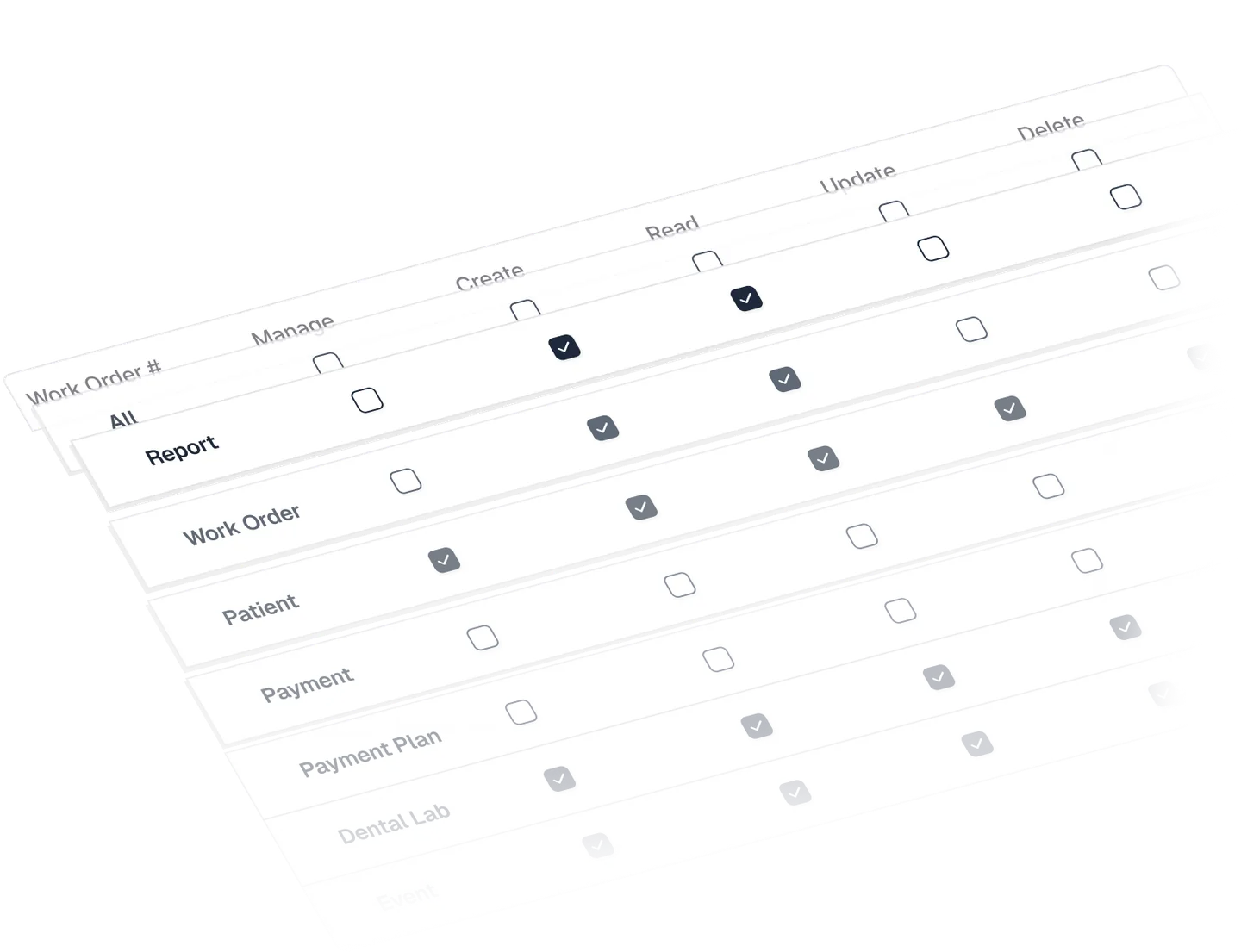
The wider product supports clinic managers, dental technicians, and administrative staff through role-based permissions. Users can be granted specific access to view, create, update, or delete records, while the product's local-data option gives each organization control over where sensitive operational information is stored.
04 · Creating the case
One form established the operational, patient, and payment context.
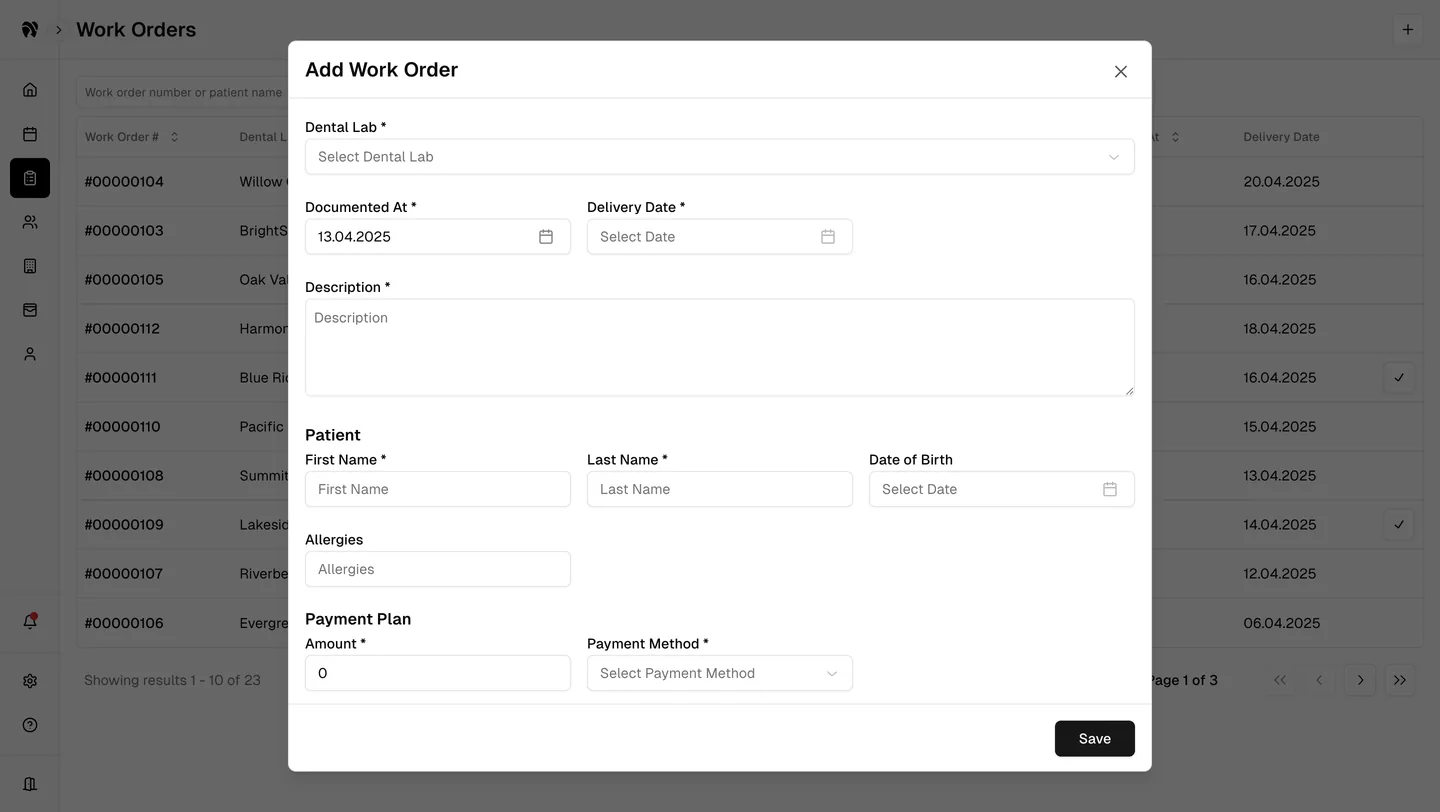
Creating a work order is a high-leverage moment: missing information can become a delay later. I grouped the form around the way the case will be handled—lab, documentation and delivery dates, description, patient details, and the initial payment plan—rather than exposing the internal data model field by field.
Required fields and validation keep the minimum viable case complete, while optional clinical details, installment payments, and attachments can be added when they are relevant. This balances accuracy with the speed required during a busy working day.
05 · Daily coordination
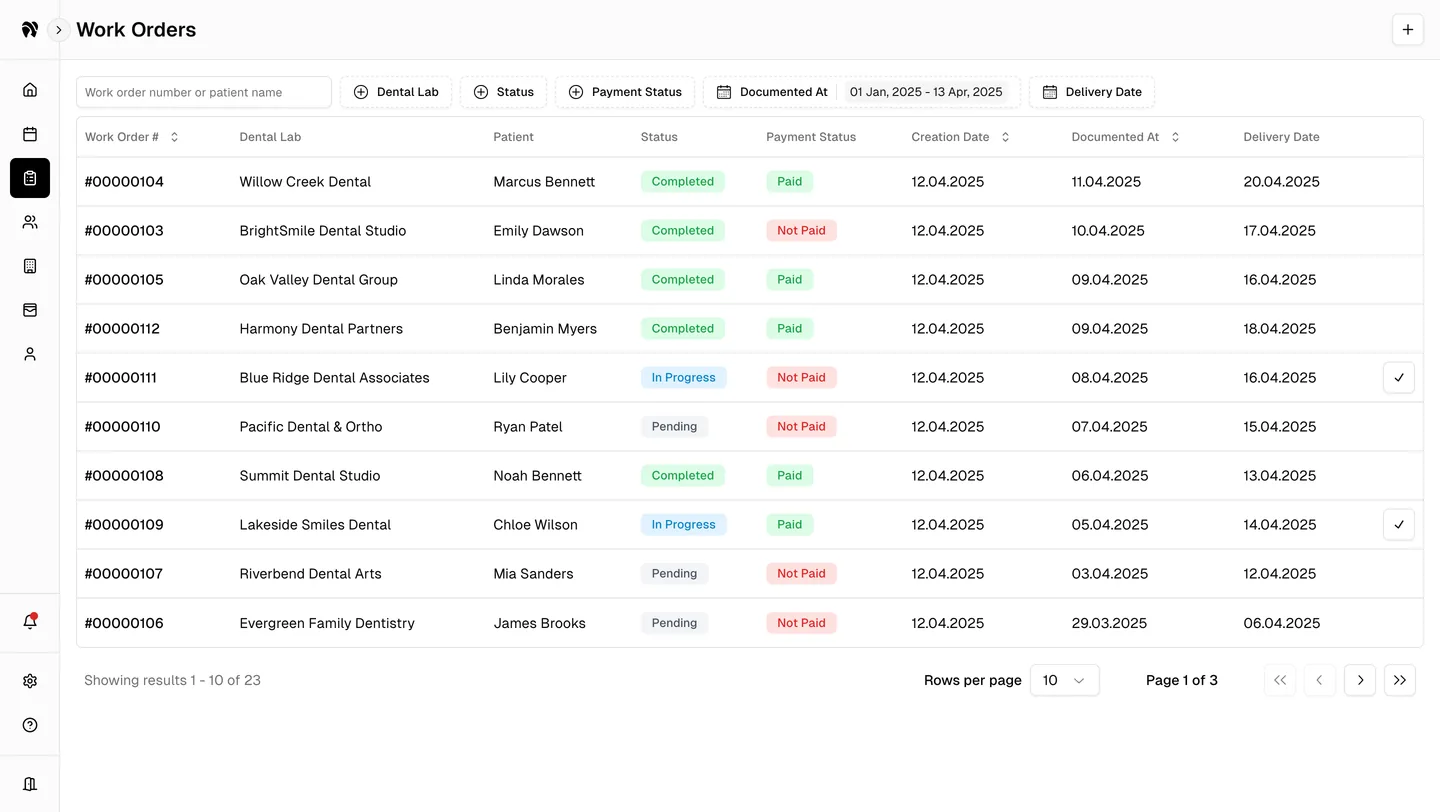
A dense queue stayed filterable, readable, and quick to update.
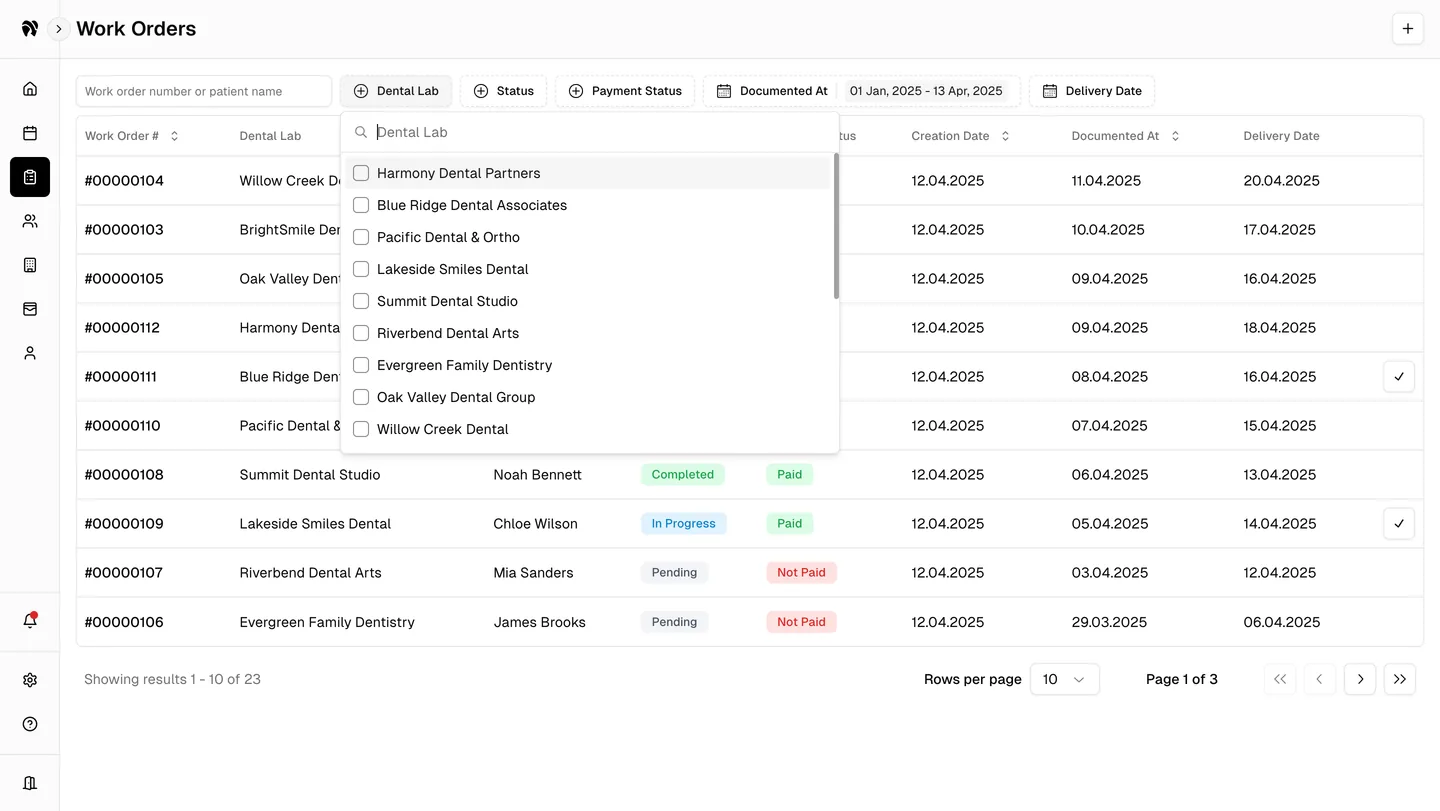
Most daily work begins in the order list, where teams need to find a patient or case, compare deadlines, and spot operational or payment risk. I used stable columns and compact status badges so the list could hold meaningful density without becoming visually noisy.
Search and filters cover the terms people actually use to narrow the work: lab, production status, payment status, documentation period, and delivery date. Quick actions let teams update common states from the table while the detailed record remains available for more consequential changes.
06 · Accountability
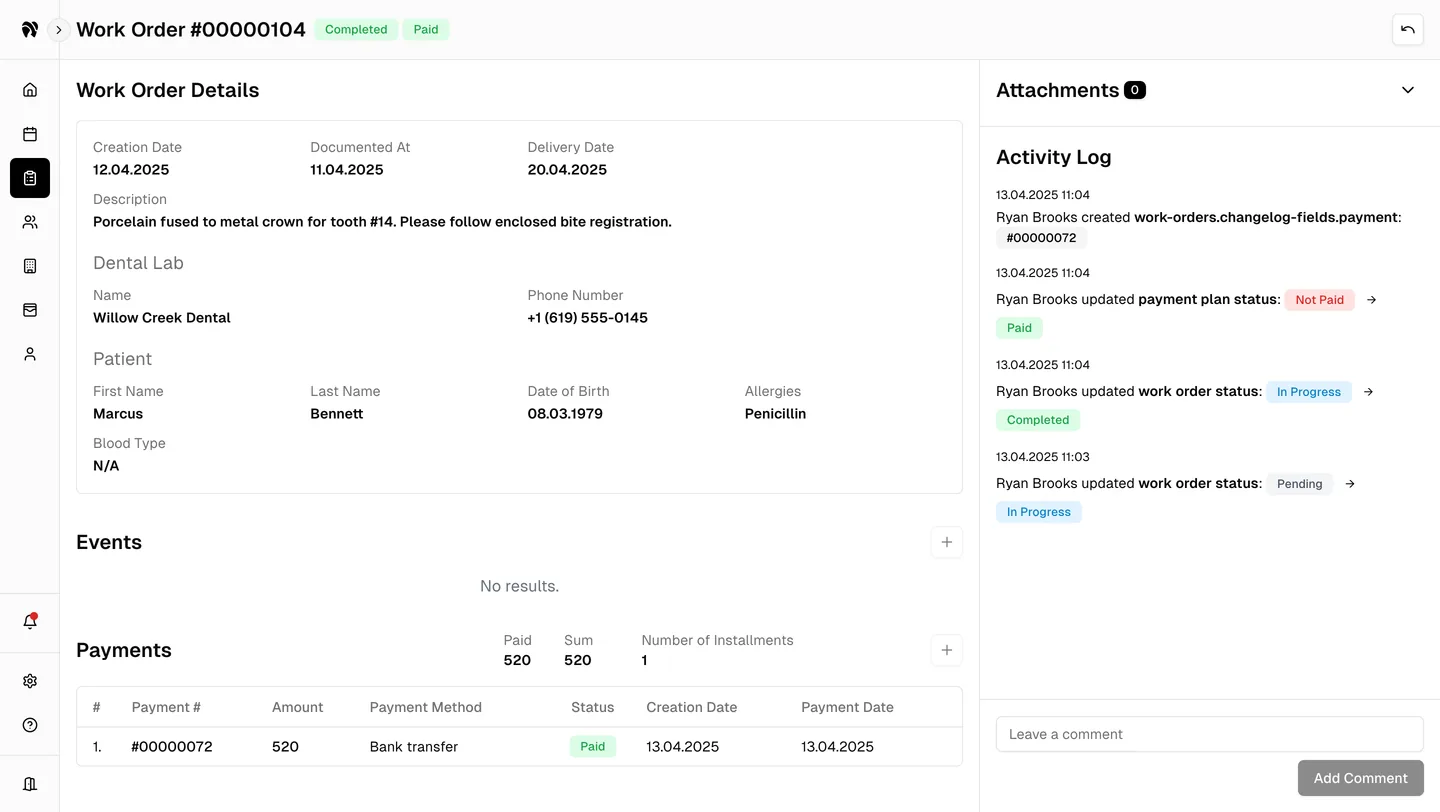
The detailed view preserved the complete history of a case.
Inside a work order, the interface brings together dates, instructions, lab contacts, patient context, events, attachments, and payments. The layout keeps the current record readable while an activity log captures important changes beside it.
That history is essential when work crosses organizational boundaries. Instead of asking who changed a status or whether a payment was recorded, the team can inspect the sequence and continue from the same shared account of the case.
07 · Time and reminders
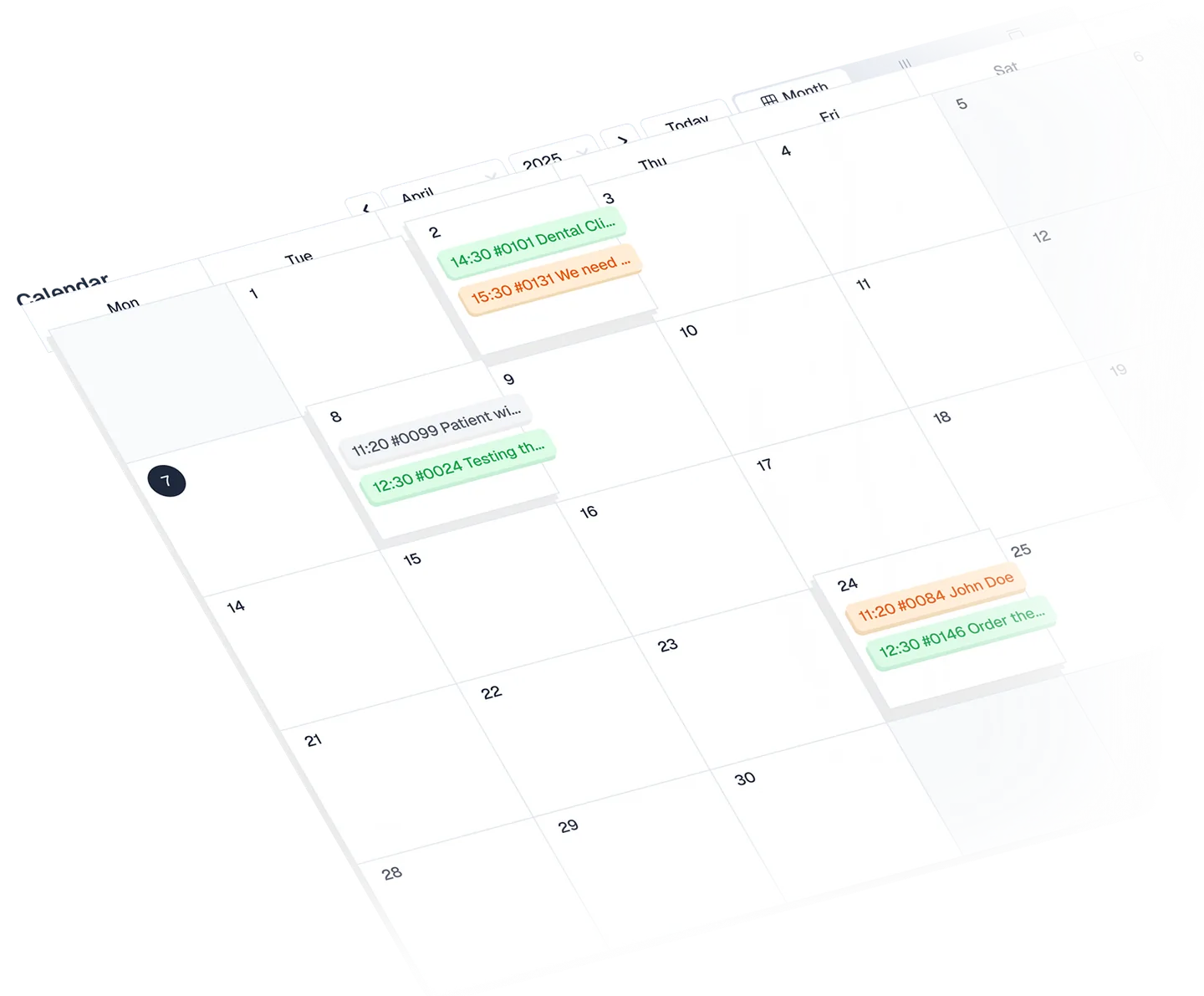
Scheduling translated case deadlines into a working calendar.
Work orders become real appointments, try-ins, delivery dates, and reminders. I designed the calendar as another view of the same operational system so an event remains connected to its case instead of becoming an isolated calendar entry.
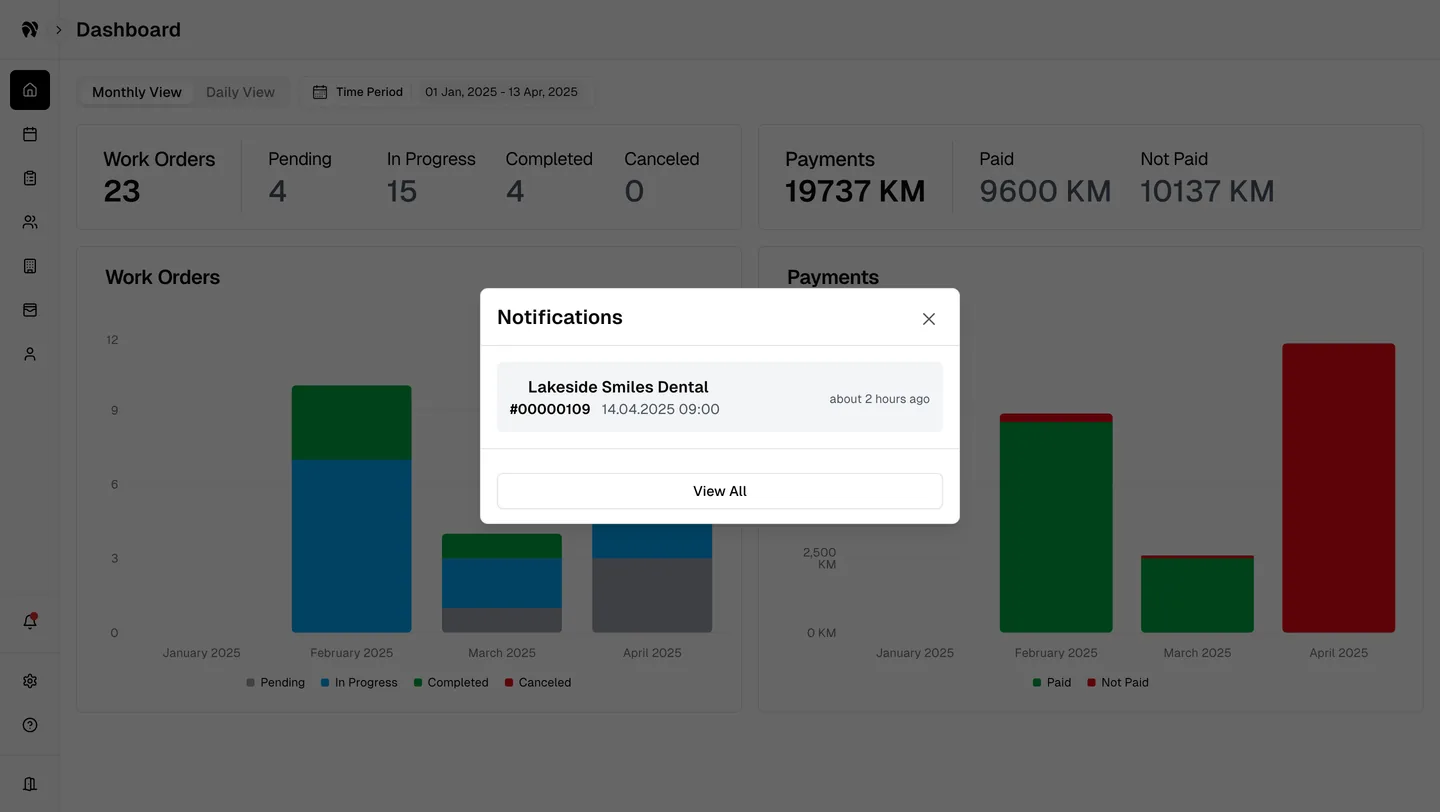
Month, week, and day views support different planning horizons, while configurable notifications surface upcoming work before it becomes late. The reminder pattern keeps the case number, clinic, and time together so the alert is immediately actionable.
08 · Operational and financial insight
Workload and money were designed as two views of the same operation.
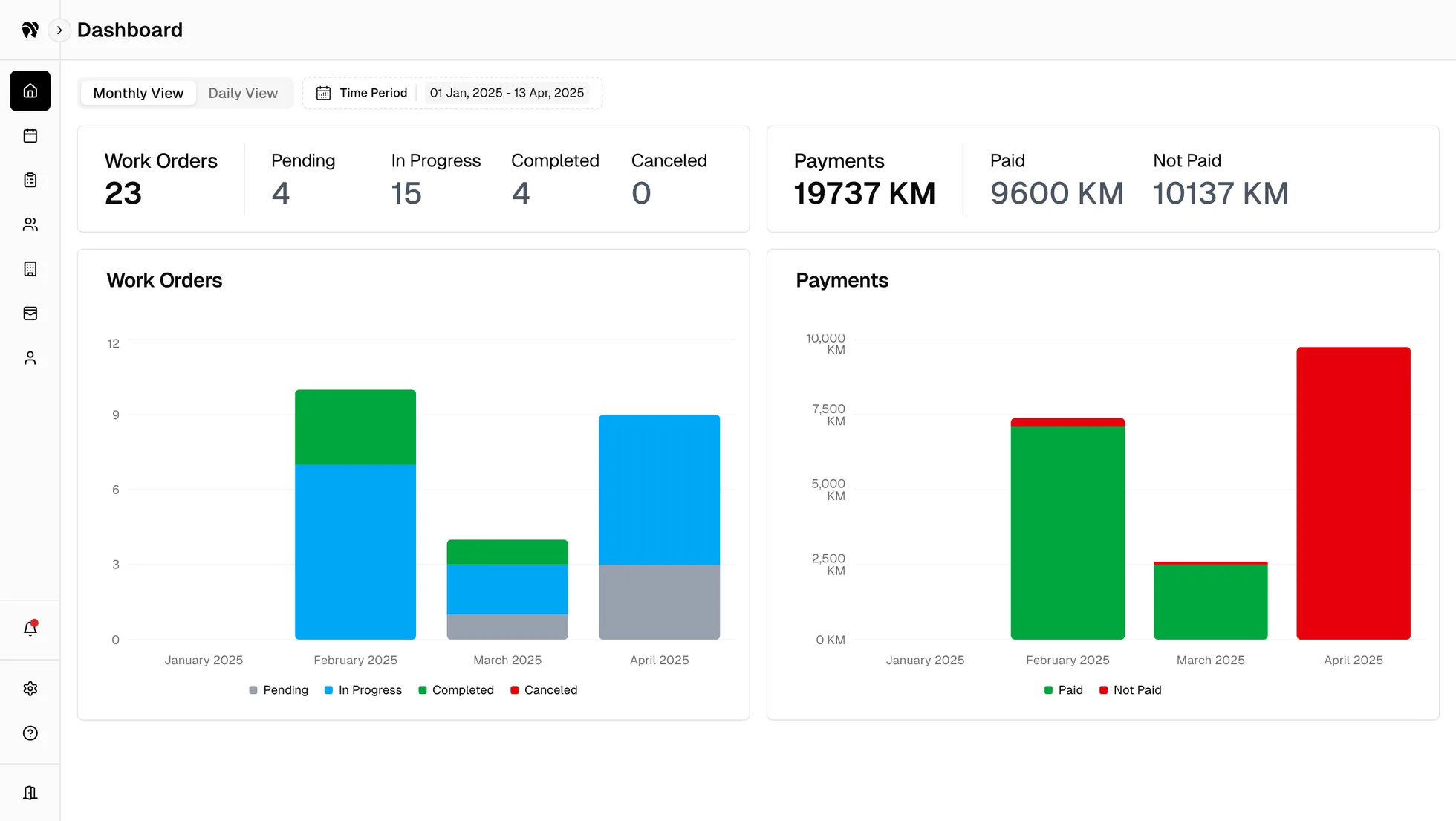
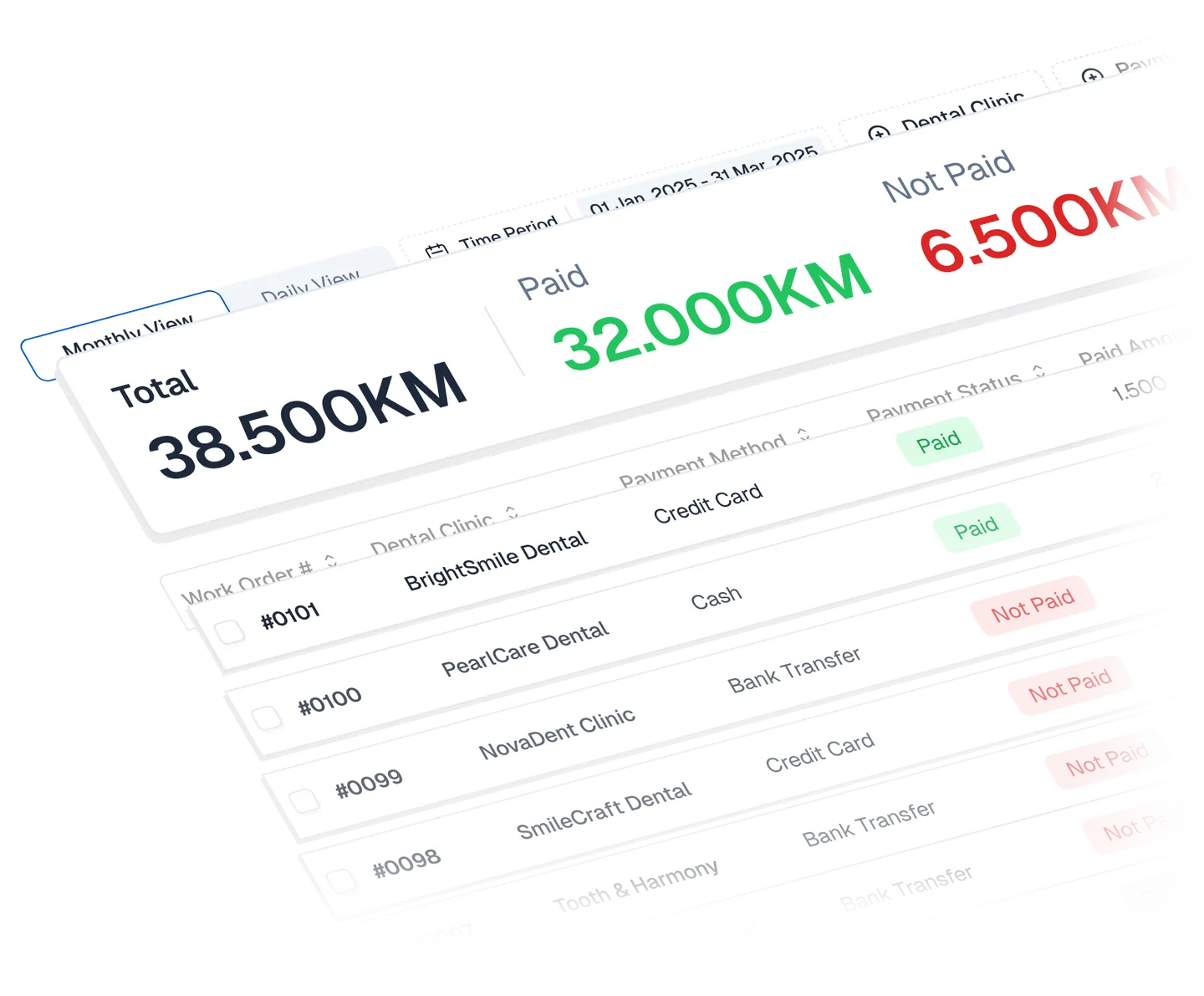
A completed case and a paid case are not always the same thing. I kept production and payment states distinct throughout the system, then brought them together on the dashboard and finance views so managers could understand both throughput and outstanding balances.
Daily and monthly views, date filters, status totals, charts, payment methods, and exportable reports support different levels of analysis. The goal was not more data; it was a faster answer to where work and cash were getting stuck.
09 · Shipped result
The design grew into a live, publicly documented operating platform.
I have led the product design independently since 2023, shaping the product model, flows, interface, and design system across the operational experience. DentaSync's current product site and documentation cover the complete loop from setup and permissions through work orders, calendar events, finance, notifications, and administration, including locally controlled data storage.
That public footprint verifies breadth and delivery: the connected experience shown here became a real product with onboarding guidance for clinic managers, technicians, and administrators. It does not prove that the interface reduced communication errors, shortened delivery time, or improved patient outcomes, so those claims remain outside this portfolio until analytics support them.
The verified result is a shipped, documented system—not an unsupported claim about clinical or business performance.