 Vedran
MedTech · Enterprise web app · 2026
Edwards Event Operations
Designing one traceable event workflow from planning and document creation through approval, print, and delivery.
- Role
- Product Designer
- Team
- BetaStudio Engineers
- Timeline
- 2026
- Outcome
- A built enterprise platform connecting event setup, document production, approvals, print ordering, and delivery.
Prefer the short version?
Don’t want to read the whole case study? I got you.
The Edwards Event Operations application presentation is under construction. The viewer is ready and the deck will appear here as soon as it is added.
01 · The challenge
Every event created a chain of documents and a chain of coordination.
Enterprise medical events require more than a date and venue. Teams prepare agendas, invitations, certificates, attendee materials, and other event specific documents, then coordinate reviews, approvals, printing, and delivery across several roles.
When those steps are split between files, messages, and manual handoffs, the status of the event becomes difficult to trust. The design challenge was to create one system that could carry both the event and every related document from an initial brief to final production.
The platform needed to make progress visible without flattening a careful approval process.
02 · Process and constraints
The document lifecycle became the design map.
I worked with Edwards stakeholders and engineers to trace the operational path from event setup through document selection, personalization, review, approval, print ordering, and delivery. Before designing individual screens, I defined the objects moving through that path, the states they could enter, and the role responsible for each transition.
The central constraint was traceability. A global enterprise workflow needs dense information and reusable templates, but it also needs clear ownership, governed approvals, version confidence, and predictable handoffs. I used task flows and shared status language to test whether each role could answer three questions: what is this, where is it now, and what happens next?
The available project evidence documents the resulting interface and workflow, but not formal usability sessions or post-launch analytics. I therefore treat the design rationale as documented process and the built product as shipped scope—not as proof of efficiency gains.
The first design deliverable was a lifecycle everyone could reason about—not a dashboard.
03 · Product model
I used the event as the backbone for the entire workflow.
As the solo product designer, I structured the experience around a simple relationship: an event contains the operational details, the documents created for it, and the actions required to move those documents forward. That model kept planning and production connected instead of treating documents as unrelated files.
The product navigation reflects the lifecycle directly—events, drafts, approvals, print orders, templates, and billing—while the event workspace preserves the context between those stages. Shared status language makes it possible to understand whether work is still being prepared, waiting for review, approved, or already in production.
04 · Portfolio view
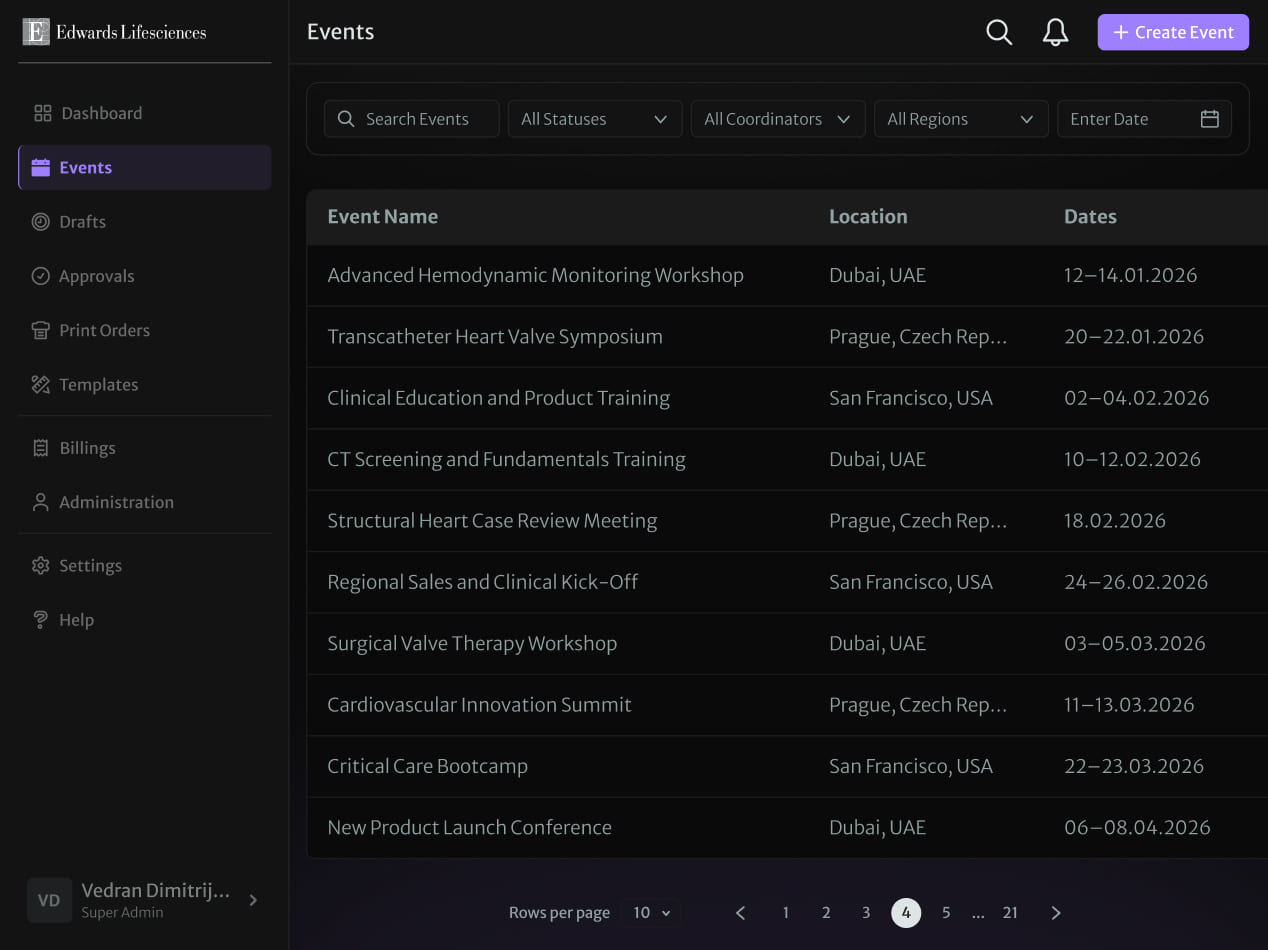
Teams could scan the event portfolio before opening the details.
The event index was designed for frequent operational use. Search, status, coordinator, region, and date filters help people narrow a long portfolio quickly, while the table keeps the most useful comparison points aligned across every row.
This view deliberately prioritizes recognition over visual novelty: event name, place, and dates are predictable, readable, and easy to revisit. Pagination and persistent navigation support the larger scale expected from a global enterprise system.
05 · Event workspace
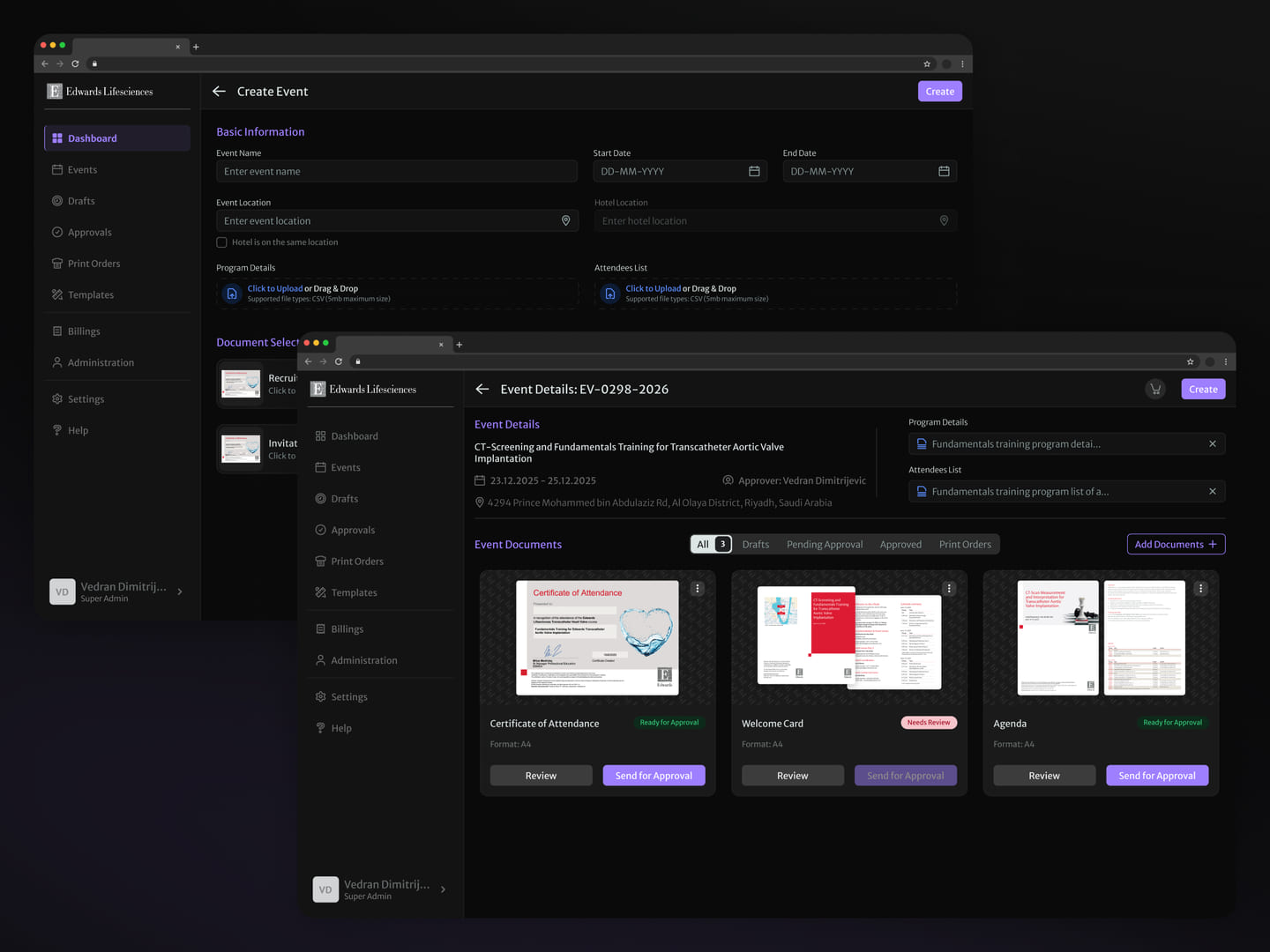
Creating an event established the context every document would inherit.
The setup flow collects the core event and location details, program files, and starting document selection in one place. Once created, the event workspace becomes a home for those materials and the people responsible for reviewing them.
I designed the workspace to show the complete document set without losing each item's individual state. Teams can add materials, inspect what is ready, and move the right document forward while the event details remain visible as shared context.
06 · Operational overview
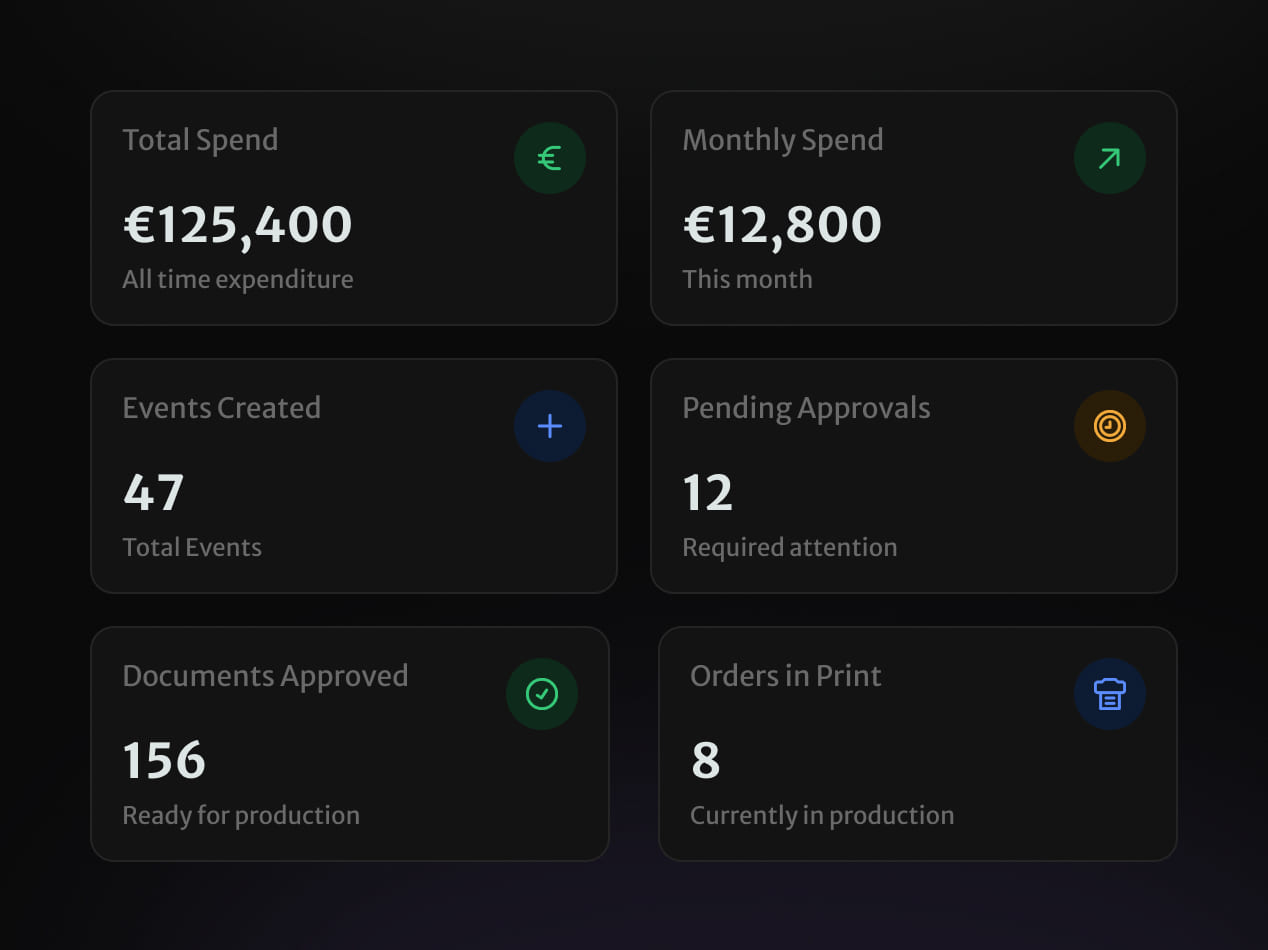
The dashboard surfaced workload, money, and bottlenecks together.
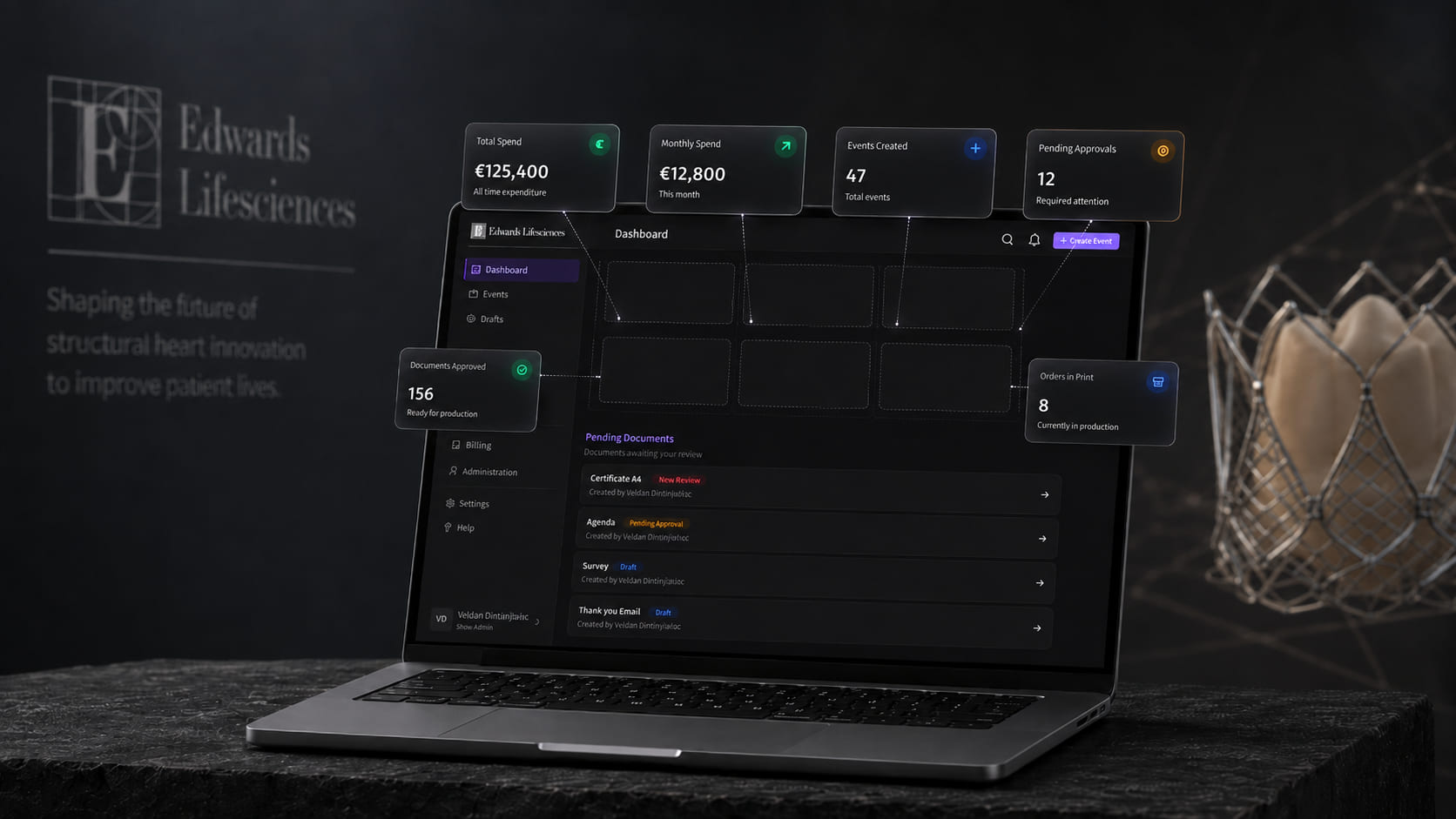
A useful enterprise dashboard should tell people what needs attention, not merely repeat the navigation. I grouped the overview around operational signals: spend, events created, approvals waiting, documents ready, and orders already in print.
Consistent cards make those signals easy to scan, while status color is paired with labels and meaning rather than carrying the message alone. The result is a starting point for action instead of a decorative reporting layer.
07 · Review and approval
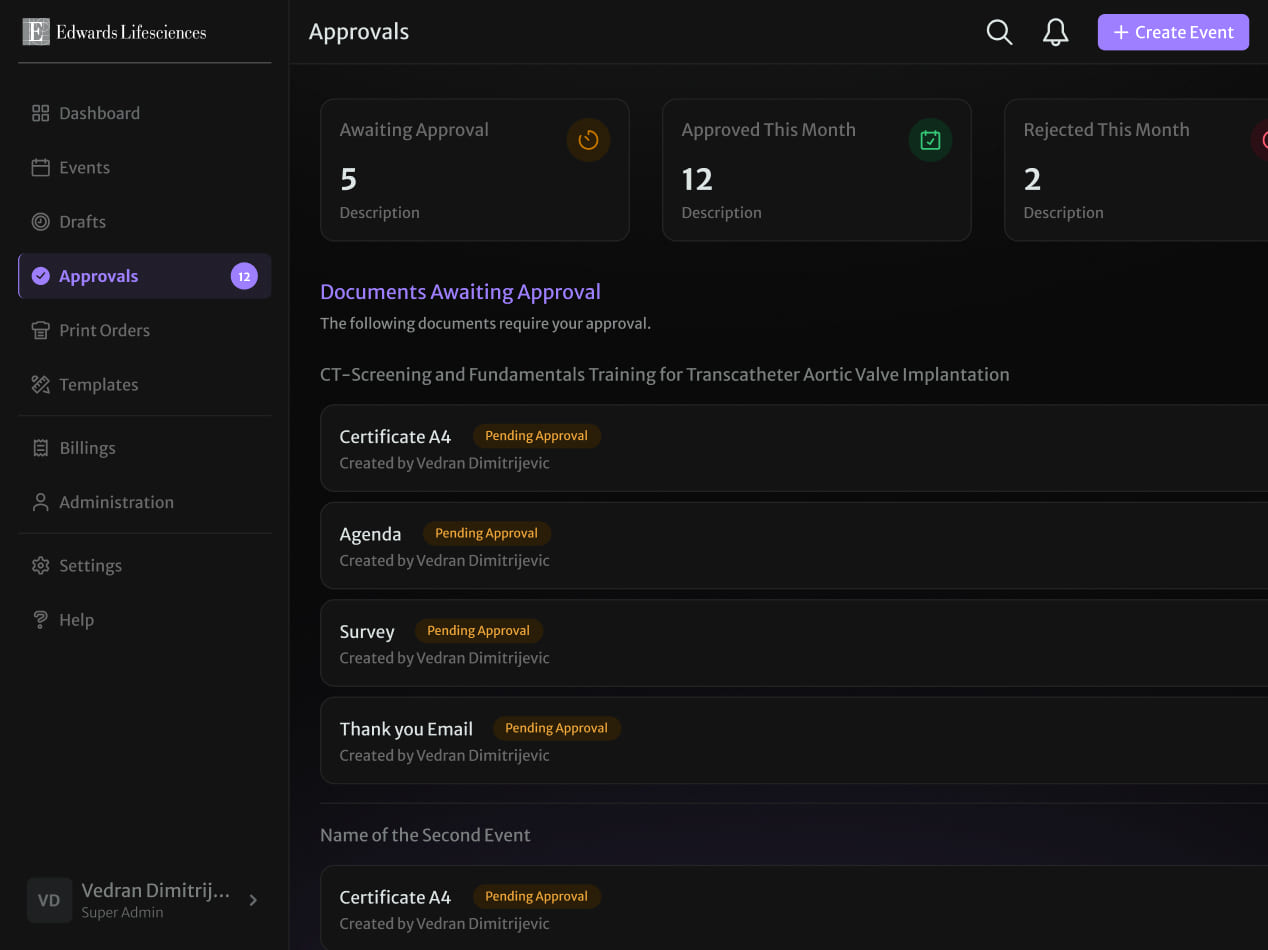
Approval became an explicit queue instead of an invisible wait.
Documents can pause for many reasons, so the experience needed to show more than a generic in-progress state. The approvals area groups work by event, names the document and creator, and keeps the current state visible at both summary and item level.
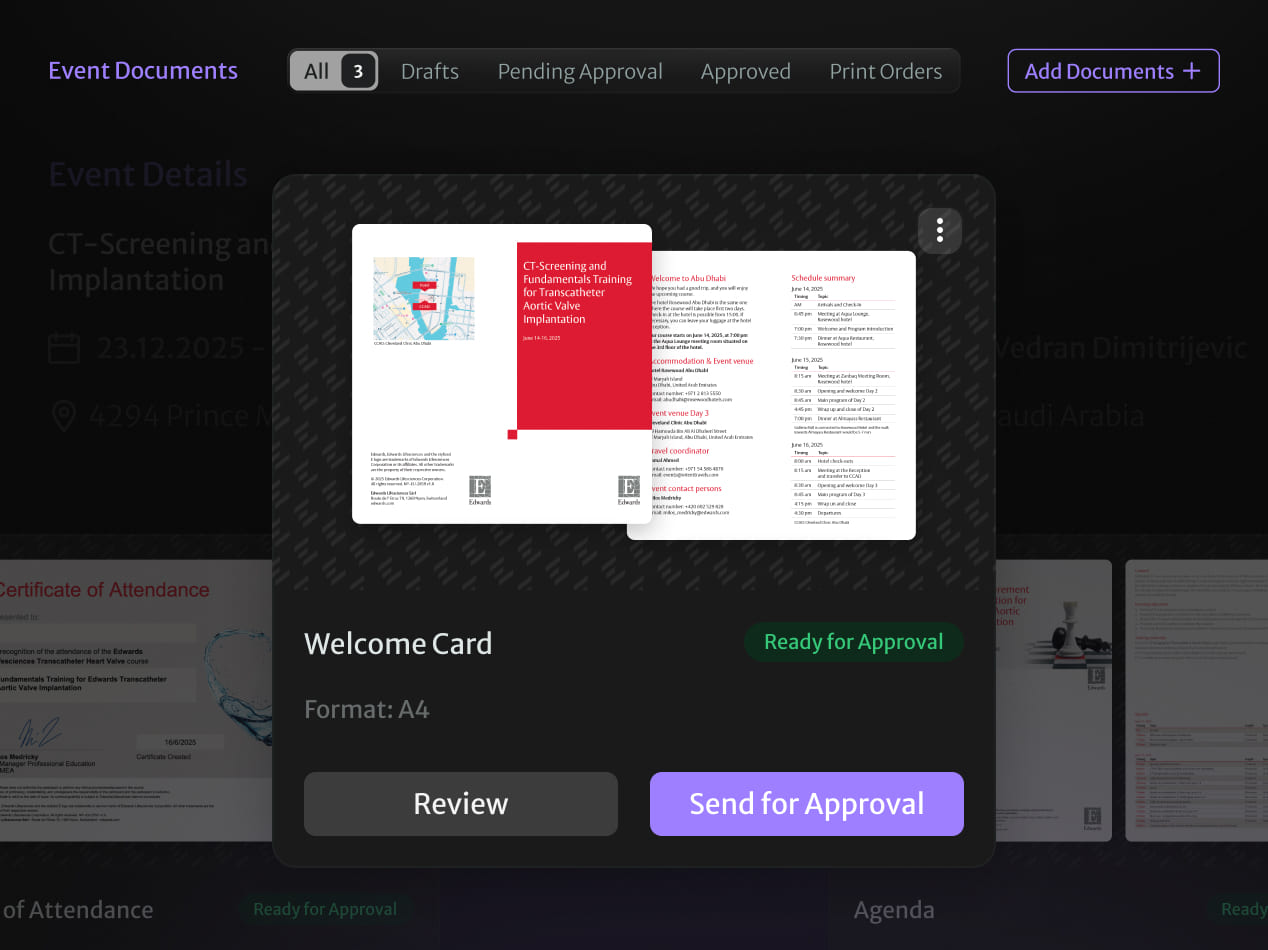
Inside an event, a focused document preview presents the artifact, format, and next action together. That reduces the gap between reviewing the actual material and deciding whether it is ready to continue toward production.
08 · Document production
Reusable templates shortened the path from content to production-ready output.
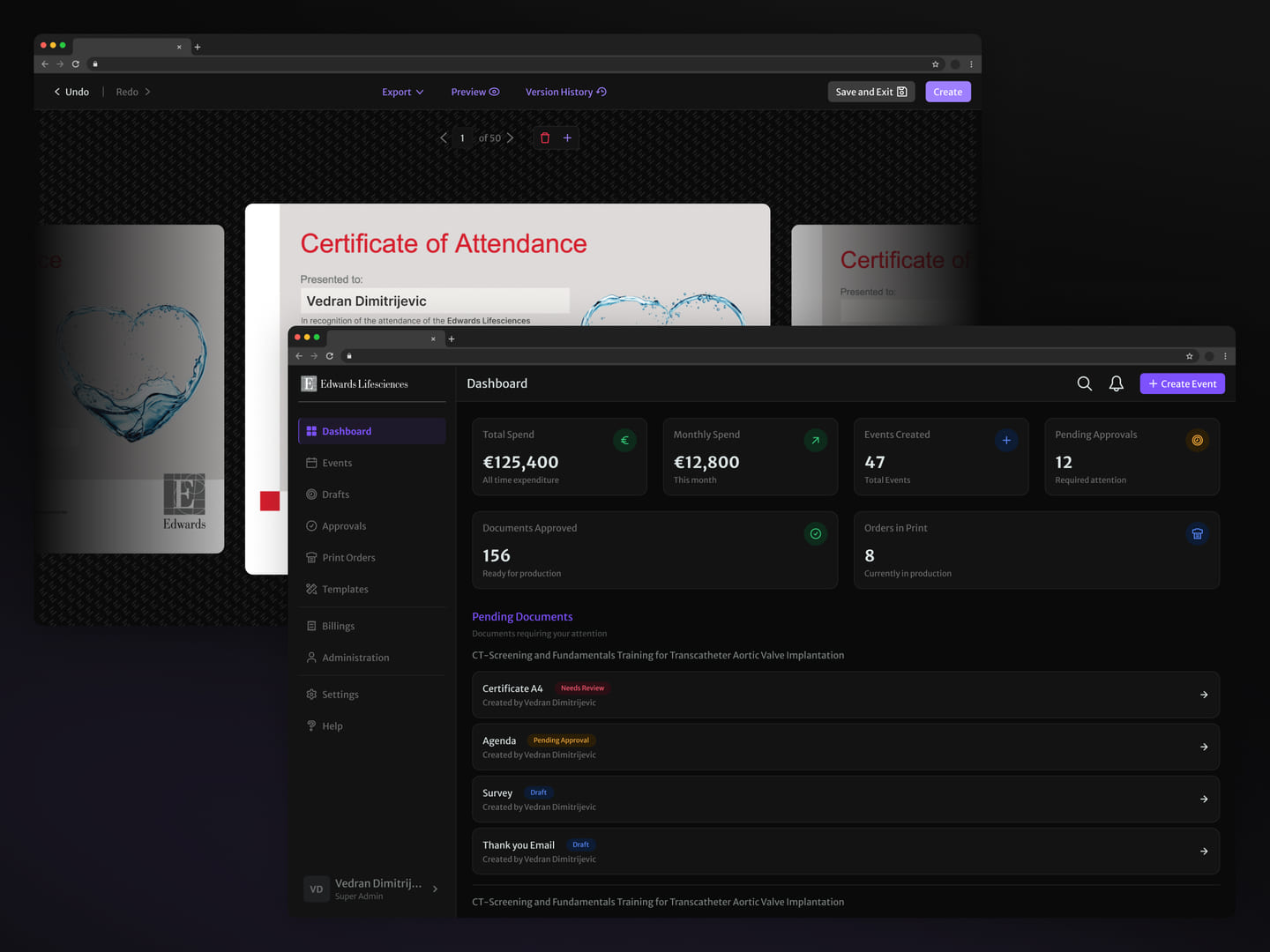
The platform turns reusable templates into event-specific materials while keeping preview, editing, export, and version history close at hand. This creates a repeatable production model without removing the review steps required for enterprise work.
I designed the wider system so a document could move through creation, review, approval, print order, and delivery using the same recognizable object and status language. That continuity is what turns a collection of tools into an operating workflow.
09 · Shipped result
The workflow shipped as one traceable enterprise product.
I led the product design independently and partnered with stakeholders and engineers as the model moved from flows and interface structure into a built enterprise platform. The verified result is the connected product scope: event planning, reusable documents, approval queues, print production, billing, and administration now share the same event and document lifecycle.
The strongest evidence is that the workflow exists as a coherent product across the screens shown here. I am not claiming time savings, error reduction, adoption, or business impact without product analytics. Those remain hypotheses to evaluate after teams complete real event cycles in the system.
Shipped scope is evidence of delivery; operational improvement still needs measurement.